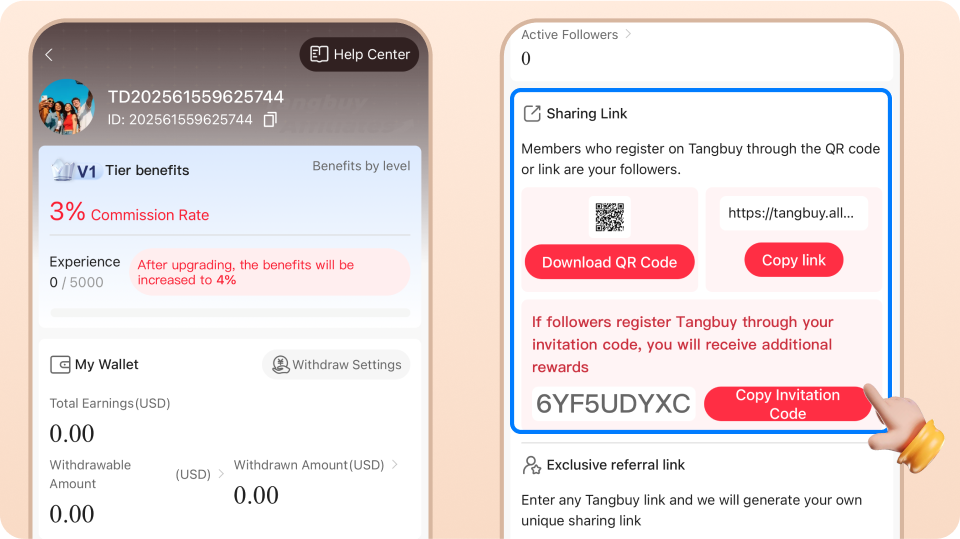
Promotion Alliance Guide
Quick Start to Becoming a Promoter:
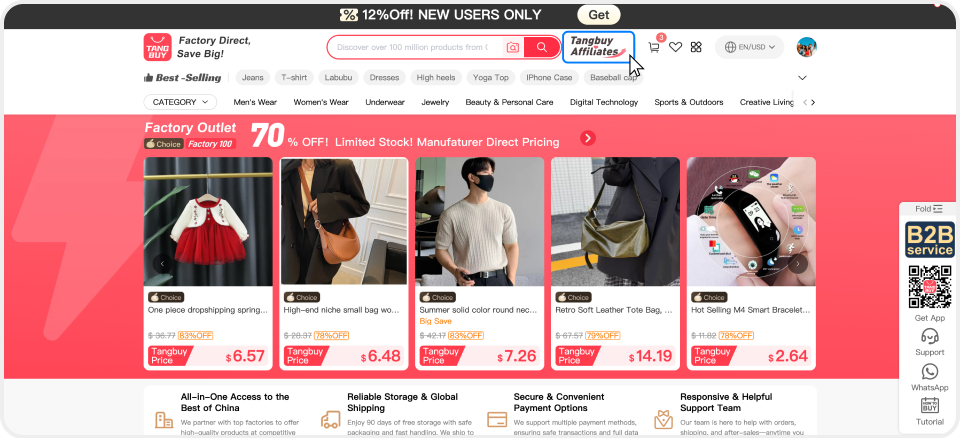
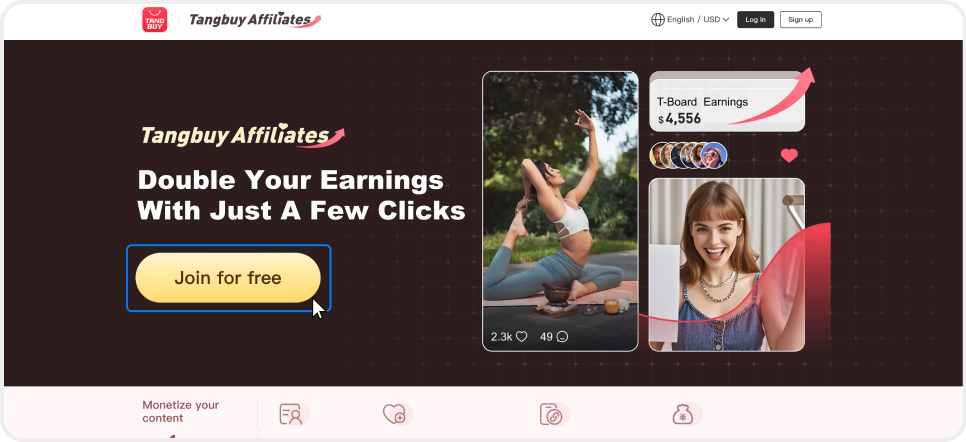
On the PC:After logging into your Tangbuy account in the app, tap [Affiliate Program], agree to the "Tangbuy Affiliate Program Terms and Conditions", and then you can access your affiliate dashboard.
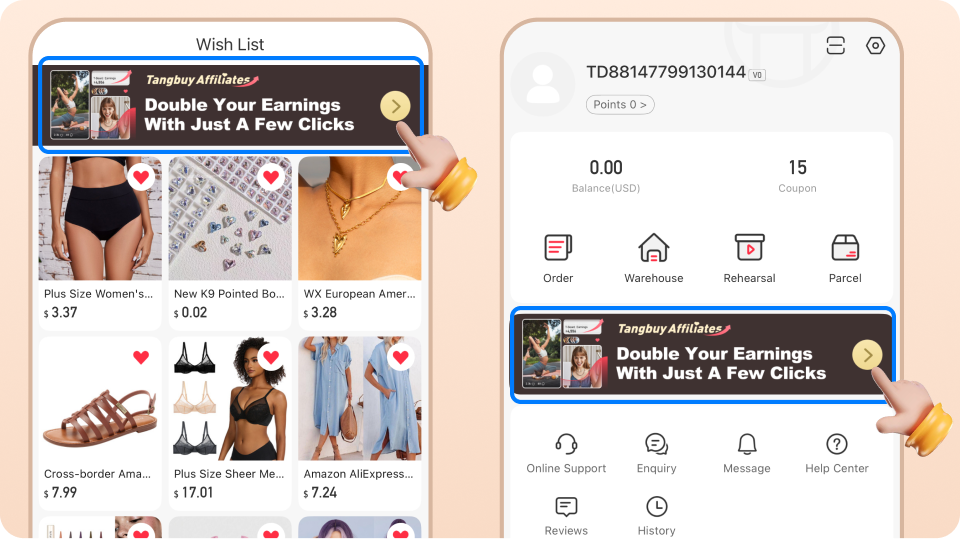
In the app:After logging into your Tangbuy account, please navigate to "Wish List" or "Account" from the bottom menu. Then, tap the "Affiliate Store" banner. Once you agree to the "Tangbuy Affiliate Program Terms and Conditions", you will gain access to your affiliate dashboard.
How to share products with friends
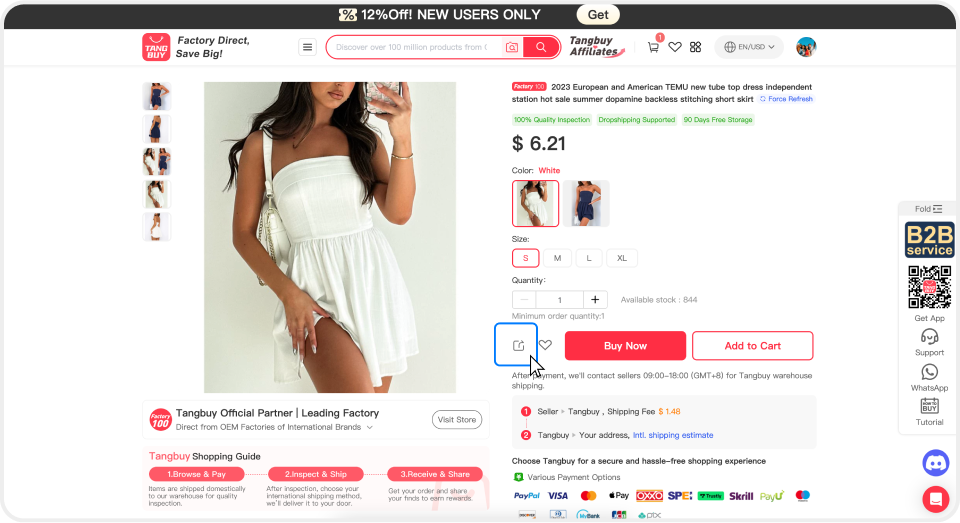
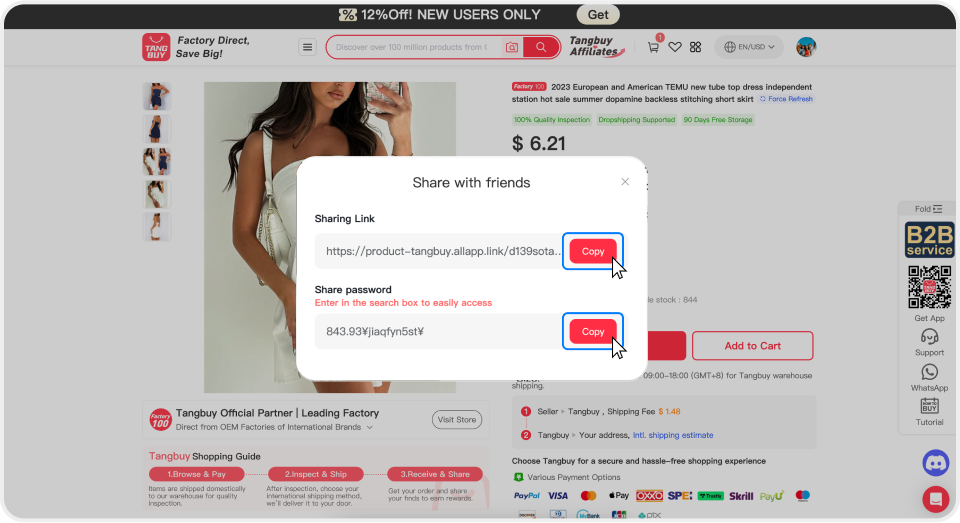
Method 1: Promote a single product
On the PC:
Go to the product page you wish to promote, click "Share", and copy the link to share with your friends.
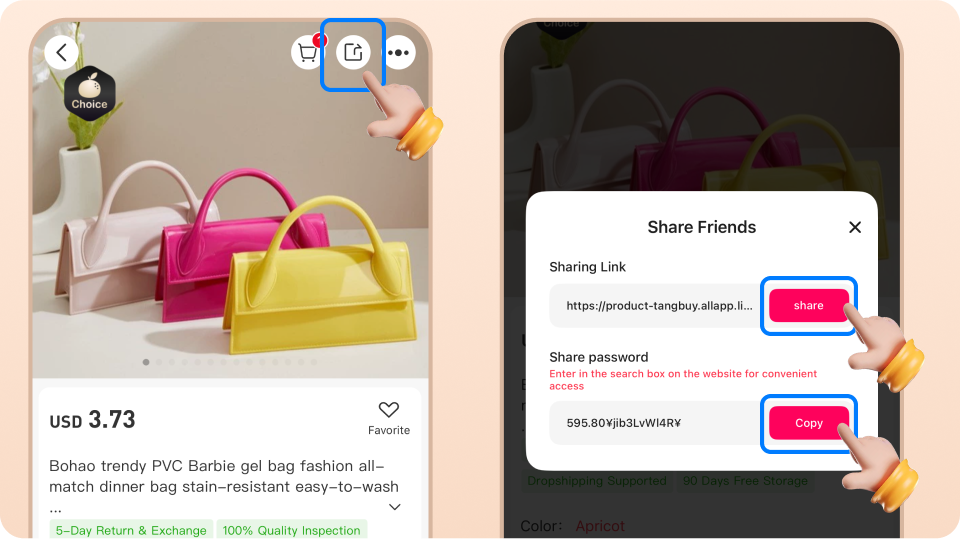
In the app:
Navigate to the product page you want to promote, tap "Share", and copy the link to share with your friends.
Method 2: Promote Multiple Products — Create and Share a List
On the PC:
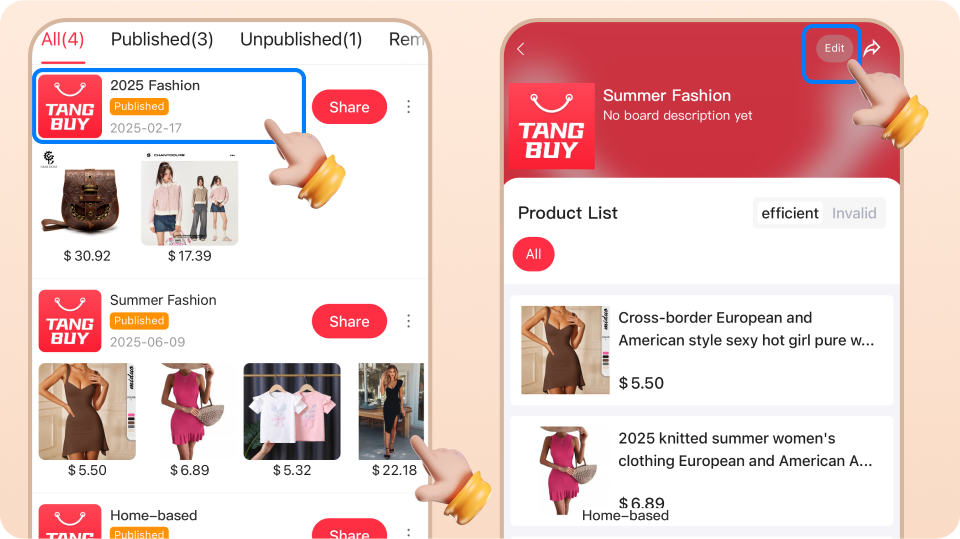
Click "Rebate Pallet" from the left navigation menu, select the products you wish to share, then click "Add to Board" in the top right corner. Next, go to "My Board" to share the list you created.
A Tangbuy board can contain up to 300 products. By sharing just one link, you have up to 300 opportunities to earn commissions.
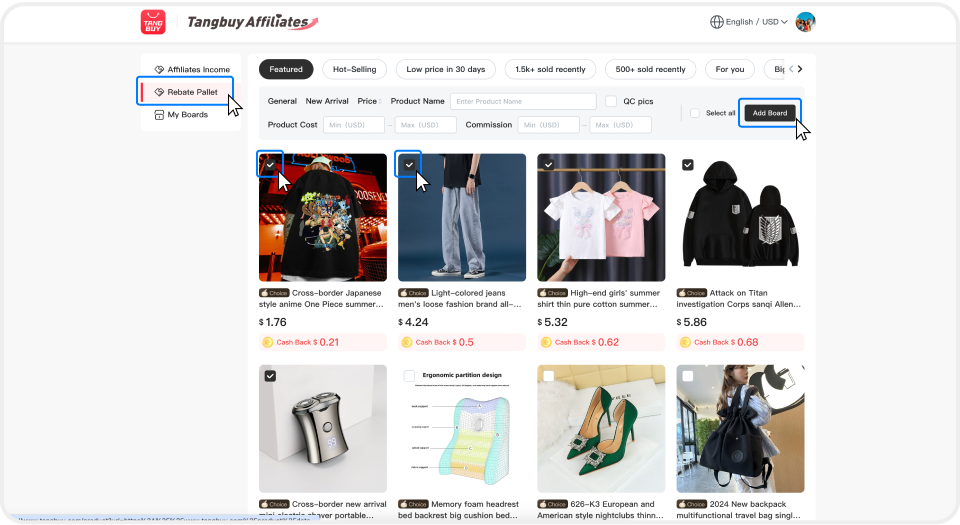
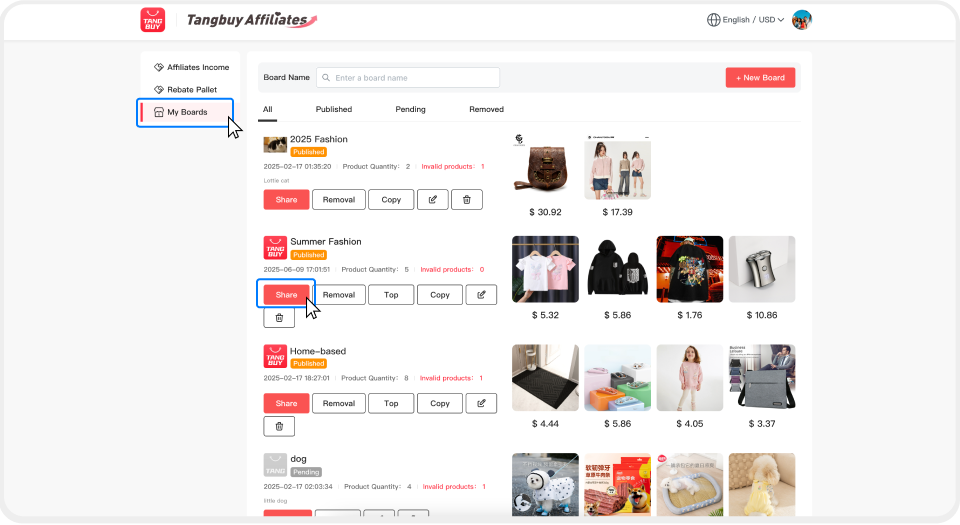
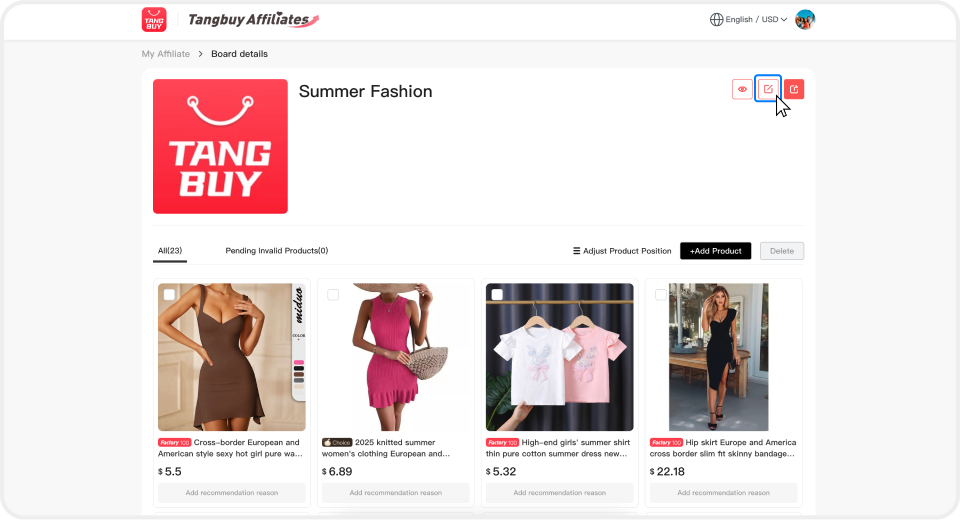
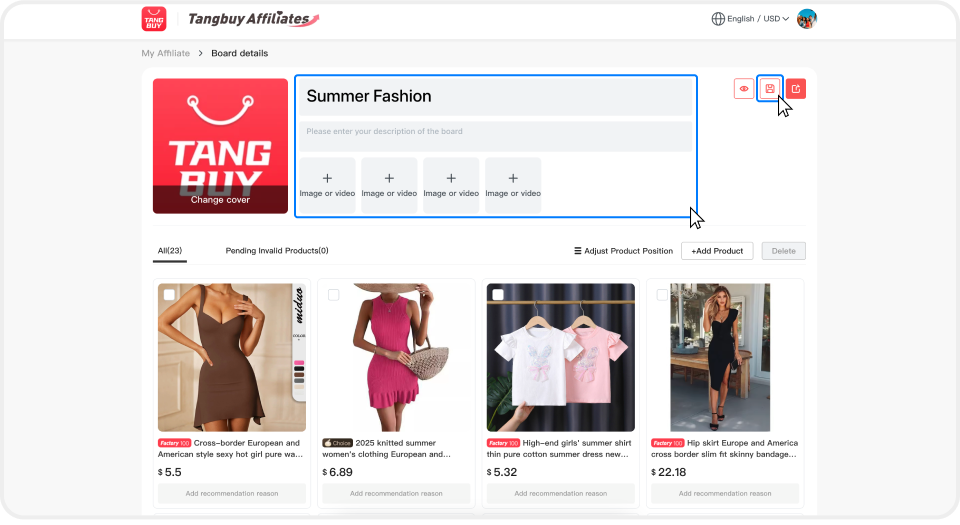
To customize your board, go to "My Board" and click the "Edit" icon in the top right corner. You can personalize your board with:
Board Name: Describe the board in one sentence.
Board Cover: Choose an image to set the tone for your board.
Board Description: A good description will inspire your visitors.
Images/Videos: You may upload images to showcase your style and add related video links from social media.
In the app:
Go to "Wish List", select the products you want to share, then tap "Add to board" in the top right corner. After that, go to "My Board" to share the list you have created.
A Tangbuy board can contain up to 300 products. By sharing just one link, you have up to 300 opportunities to earn commissions.
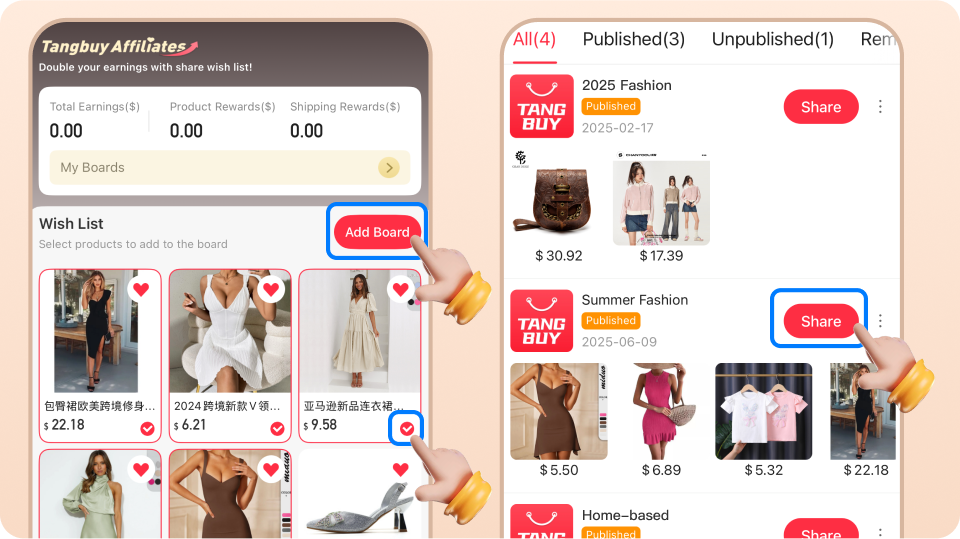
To customize your board, go to "My Board" and click the "Edit" icon in the top right corner. You can personalize your board with:
Board Name: Describe the board in one sentence.
Board Cover: Choose an image to set the tone for your board.
Board Description: A good description will inspire your visitors.
Images/Videos: You may upload images to showcase your style and add related video links from social media.
View Your Earnings
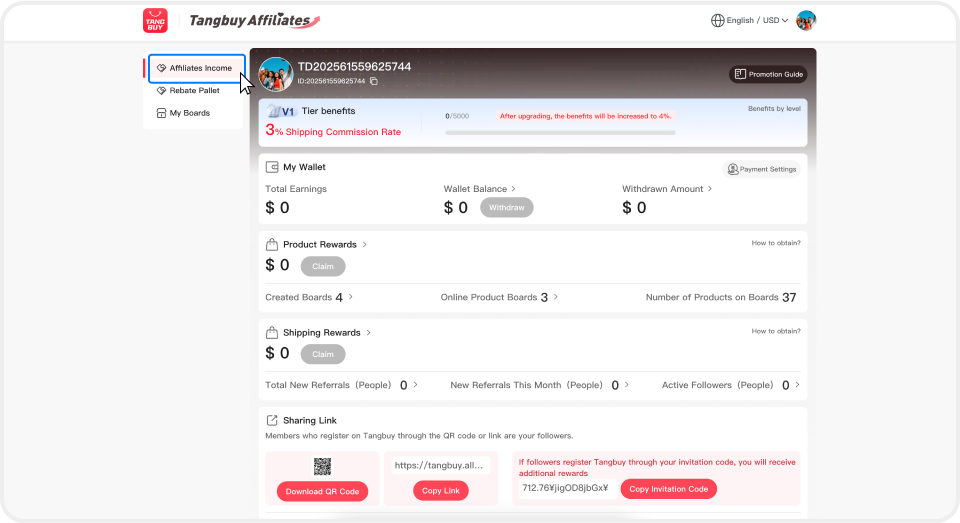
On PC:
You can view your detailed earnings and withdraw funds in the "Promotion Earnings" section.
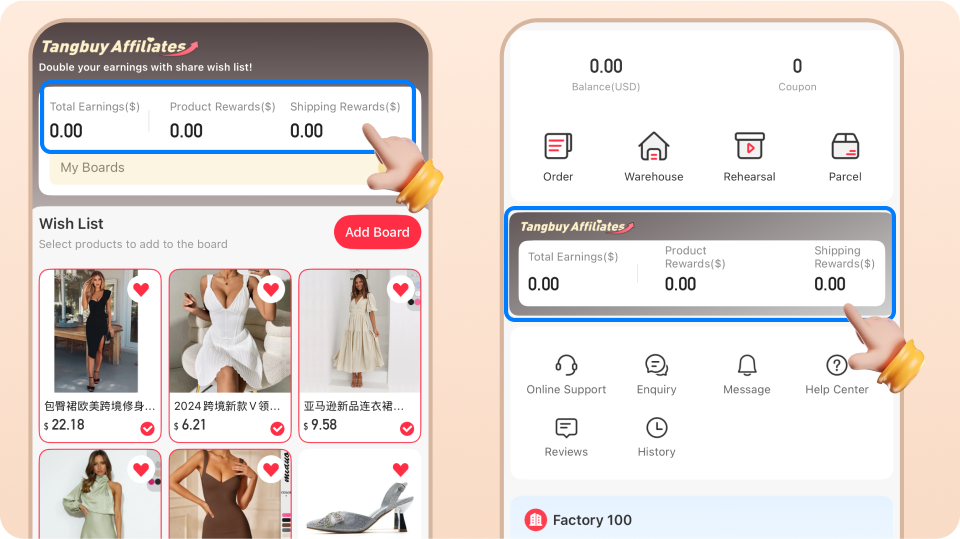
In the app:
Tap "Wish List" or "Account" from the bottom menu, then go to "Promotion Earnings" where you can check your detailed earnings and withdraw funds.
How to share Tangbuy with friends
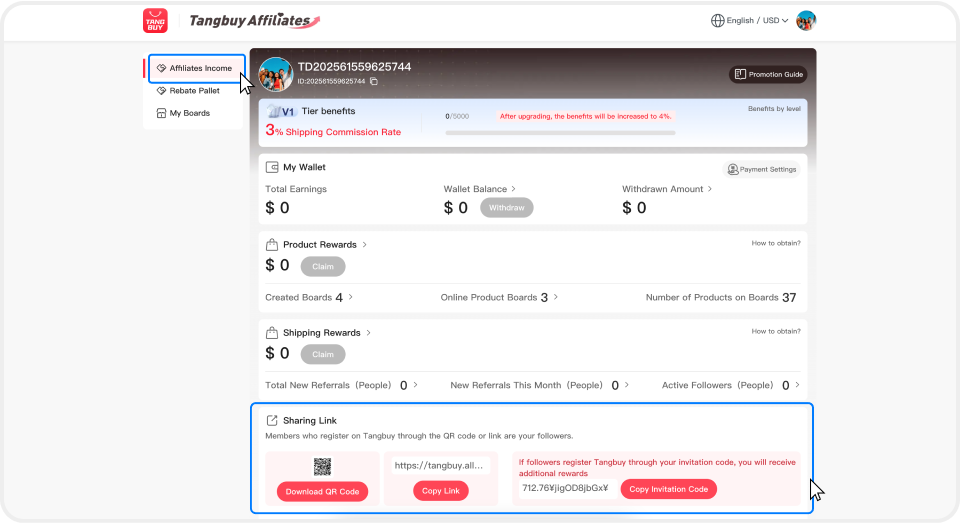
On PC:
Go to Affiliate Program → Promotion Earnings. At the bottom of the page, you can share Tangbuy with your friends.
In the app:
Go to Promotion Earnings, and at the bottom of the screen, you can share Tangbuy with your friends.